Price an extra: line items, tax, and totals
Pricing is line-item based: labour, material, or fixed-price lines, each with quantity, unit price, an optional discount, and a taxable flag. OuttaScope calculates the official totals for you, the same way every time.
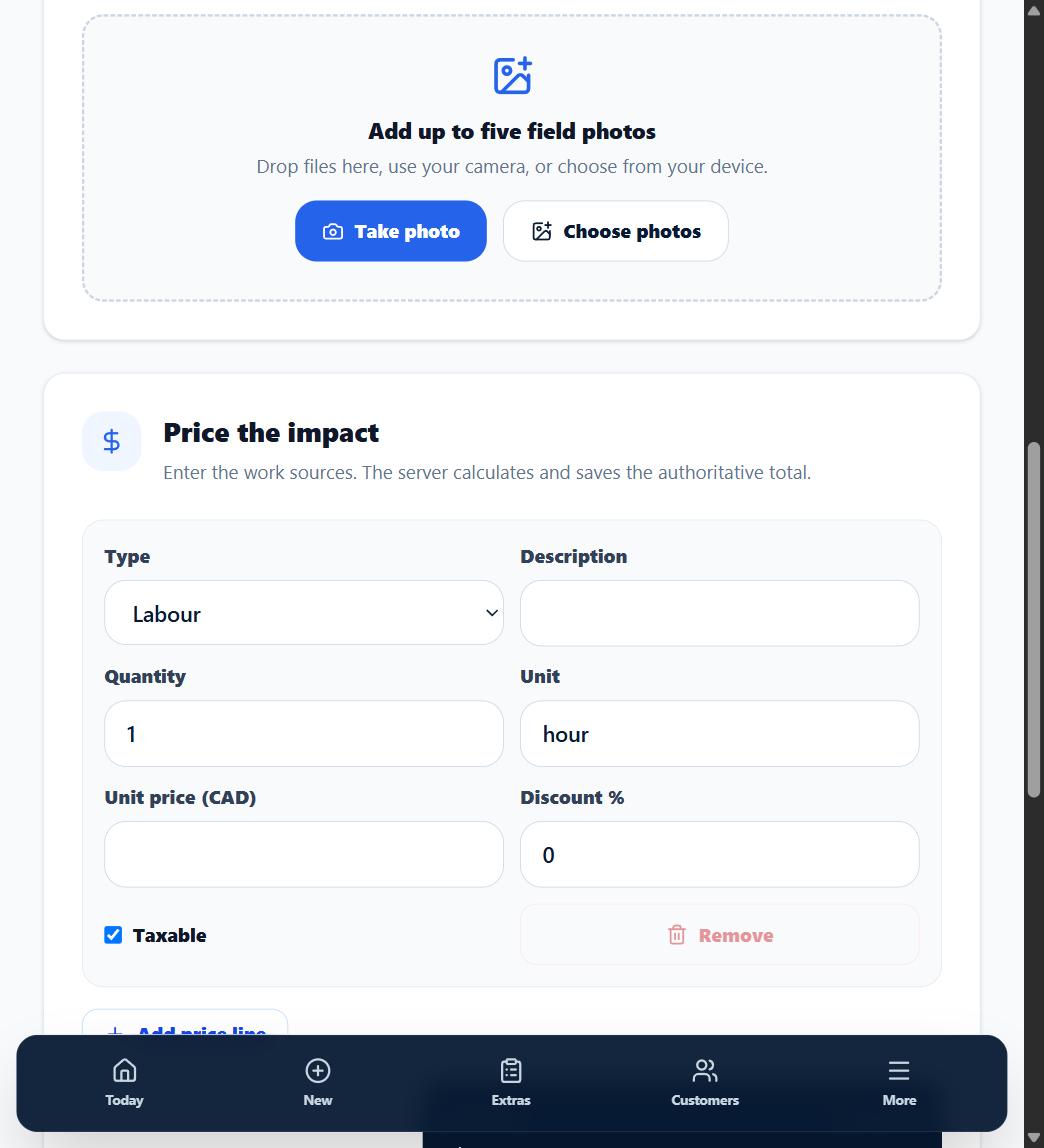
1. Add lines
Add a line per component -- for example "Labour -- 6 hrs @ $95" and "Materials -- subfloor sheets". A fixed-price line still takes a quantity and unit price like the others -- enter quantity 1 if there is nothing to multiply.
2. Set the taxable flag per line
Mark which lines your default sales tax applies to. The tax rate itself comes from your workspace Settings, so it is consistent across every extra.
3. Check the live total
The form shows subtotal, discount, tax, and grand total as you type. Your customer sees exactly these numbers, calculated the same way.
Setting your default tax rate
In Settings, set your default sales tax rate as a percentage. OuttaScope applies it to taxable lines on new pricing. Changing the rate later does not silently rewrite already-sent prices.
What happens next
Once priced, the extra is ready to send. If the price changes later, use a price revision -- never a quiet edit.