Capture an extra in the field
The New Extra flow is built for a jobsite: phone-first, quick, and forgiving if you get interrupted. The goal is a customer-ready record in a couple of minutes.
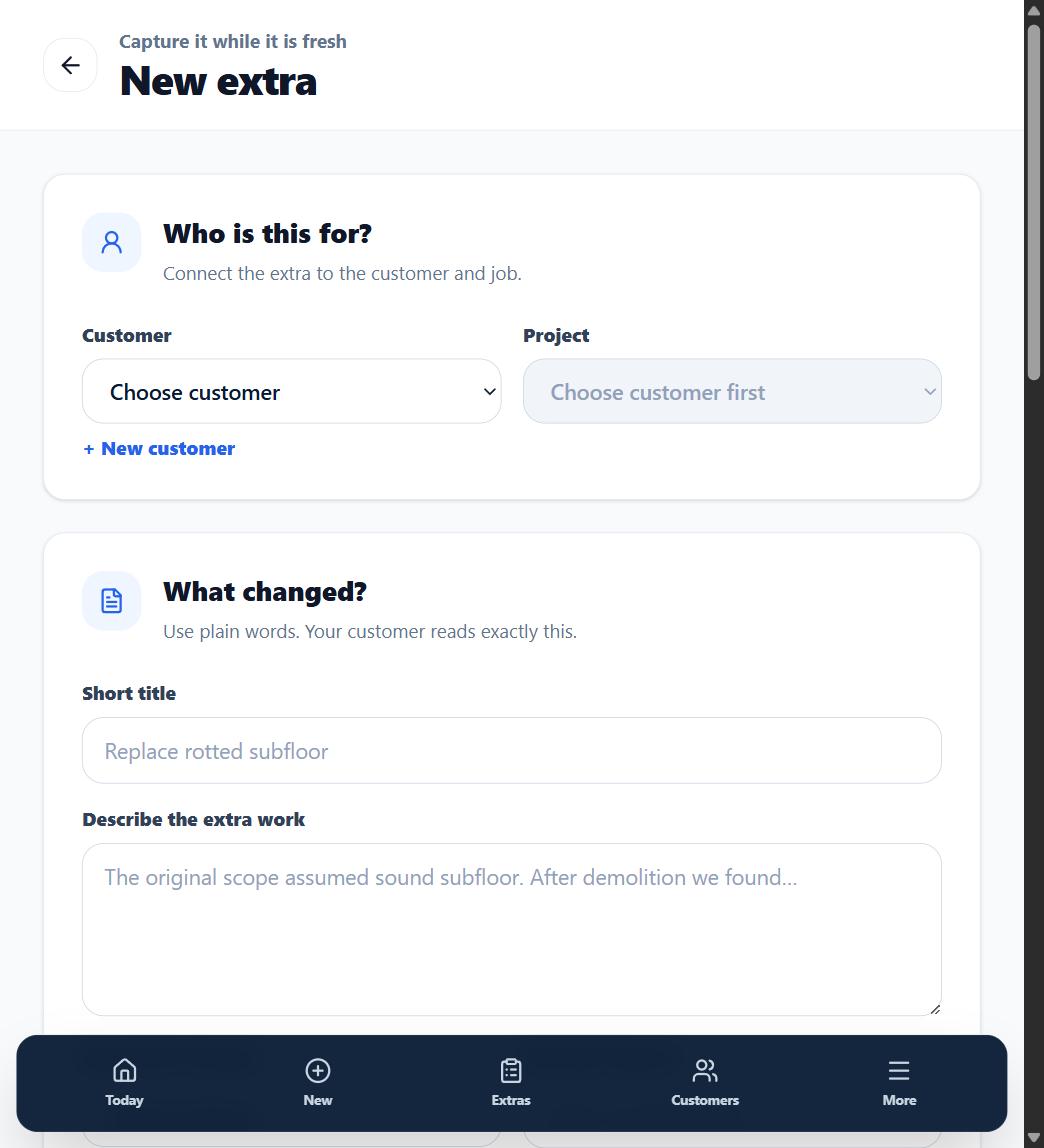
1. Pick the customer and job
Select the existing customer and job. If the customer is not set up yet, add them from the Customers screen; if the job is not set up yet, add it from the Projects screen or right here with the inline + New project button.
2. Describe the work
Give the extra a short, specific title ("Replace rotted subfloor -- main bath") and a plain-language description of what has to be done. Write it the way you would explain it to the customer standing next to you.
3. Say why it is extra
Choose the closest of six preset reasons from the dropdown -- Owner request, Unforeseen condition, Code requirement, Design revision, Material substitution, or Failed inspection. Picking the right one is what prevents the "I thought that was included" conversation later.
4. Add schedule impact
If the extra adds days to the job, record it. The customer sees the time impact next to the price, which makes the yes easier to get.
5. Add photos and pricing
Attach photos of the condition before it gets covered up, and add price lines if you price in the field -- or leave pricing for the office. Then save.
What happens next
The extra saves as a Draft only you can see. Review it (or have the office review it), then send it for approval.