What your customer sees and decides
Your customer does not need an account, an app, or a password. The link opens a clean page carrying your business name, the work description, every photo attached to the revision you sent, the price breakdown, and any schedule impact.
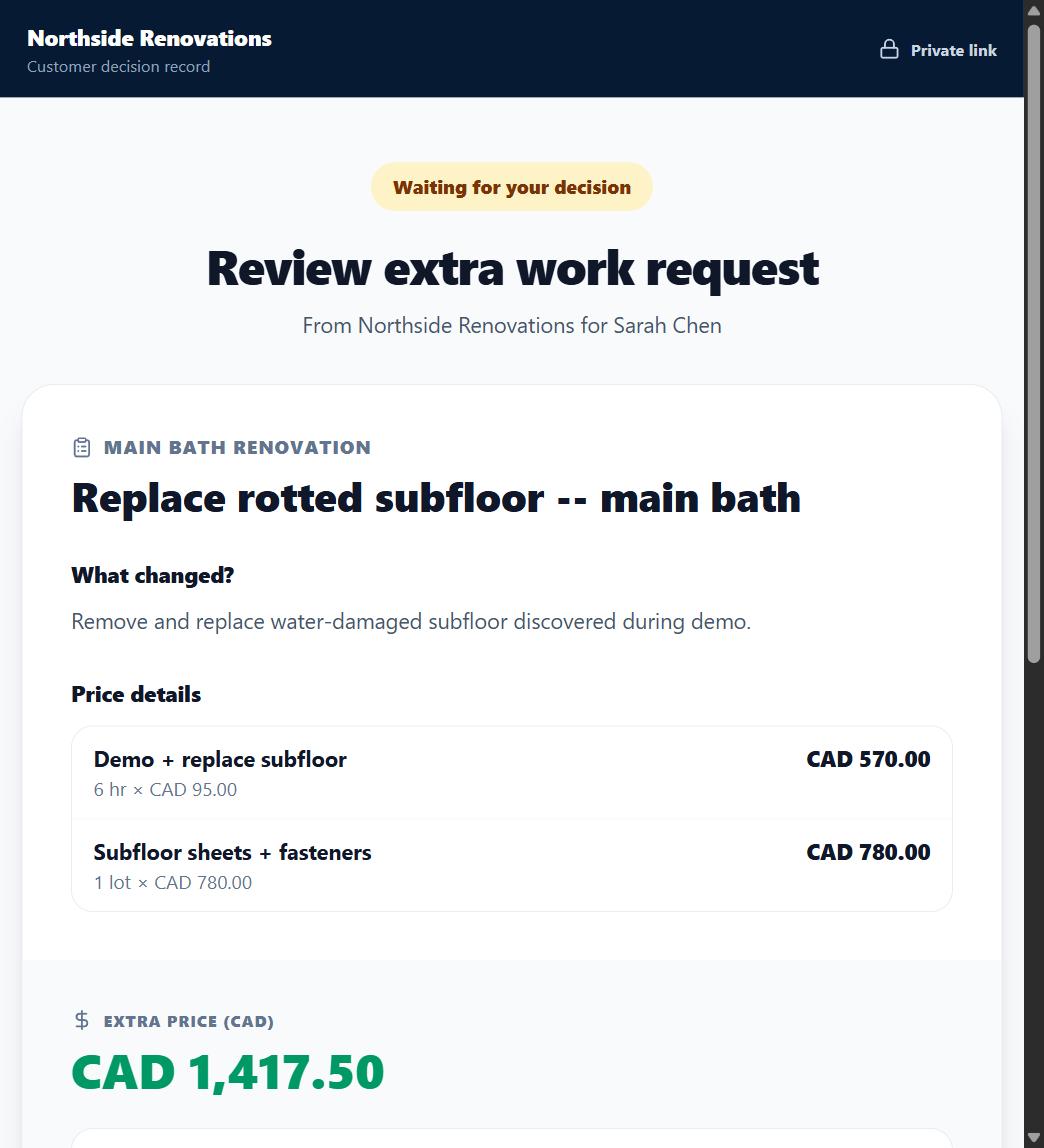
The decision
The customer chooses Approve or Decline, then confirms with their name. The page states plainly that the decision is timestamped and stored with the request. There is no way for the customer to edit the price or the scope -- they decide on exactly what you sent.
What gets recorded
The decision, the exact date and time it was made, and the exact price version it was made against are stored permanently. If you later revise the price, that decision stays in history and a fresh decision is required on the new version.
What OuttaScope claims
An OuttaScope record is evidence of what was shown and decided, with the time recorded automatically. It is a strong, honest record -- OuttaScope does not claim it satisfies every signature or contract formality in every jurisdiction.
"Request another change"
The same page carries a quiet link -- "Need something else too? Request another change" -- that gets more visible once a decision is recorded. Your customer can type a short note about something else they would like changed or added, with no account and no new link. It only ever creates a request; it never touches the current extra's price or decision, and it is never itself an approval. You review it on Today, then either turn it into a normal draft extra you price and send, or close it if it does not need to become one.

What happens next
You see the result immediately: the extra flips to Approved or Declined on your side, with the decision time. A "Request another change" instead shows up as a Customer requests card on Today.